
How it works
An email arrives. Someone is on it. Until it is done.
Connect the address you already use. Here is how every email goes from arrival to done, with the name of whoever handled it.
- No credit card
- Keep your address and your emails
- From €10 a month per mailbox, excl. VAT
Every email has someone on it. And everyone can see who.
Take an email in one click, hand it to a teammate, leave a note beside it. The whole team sees what is waiting, what is in progress and what is done, so nothing is forgotten and nobody replies twice.
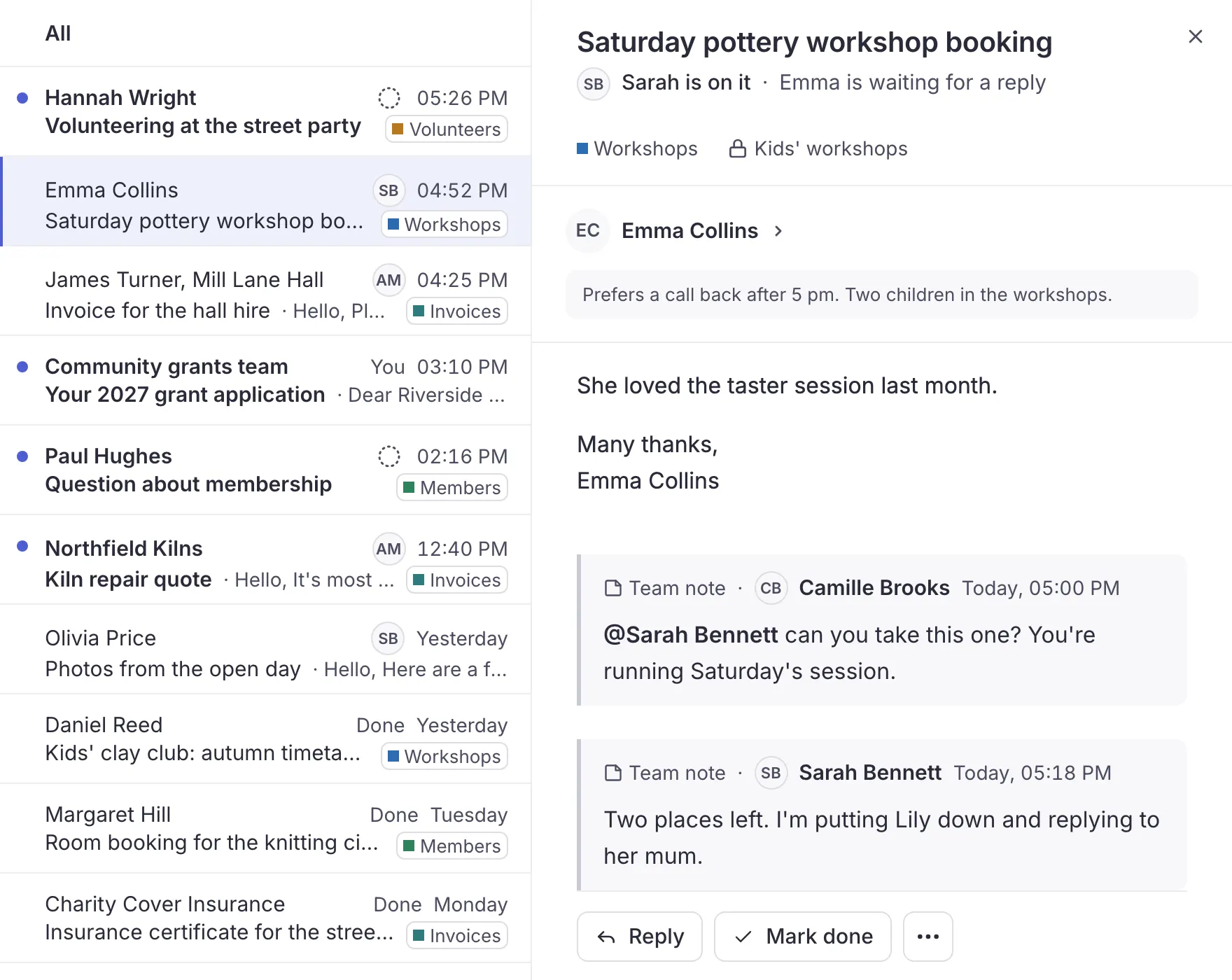
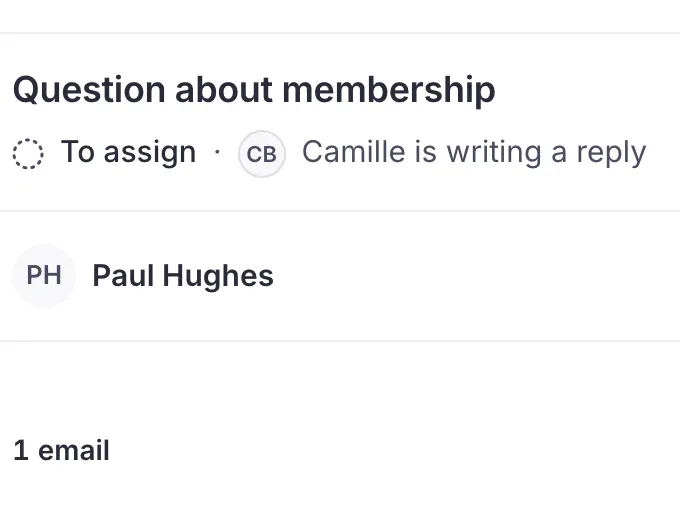
- I'll take itTake an email in one click, or hand it to a member
- Views and statesFor me, To assign, Still to do, Done
- New for meWhat has moved since you last looked
- ScopesEach member sees only the conversations that concern them
- Separate an emailAn email filed in the wrong place gets its own conversation
- Bulk actionsHandle fifty emails at once, and undo if needed
- Follow a conversationStay in the loop on an email someone else is on
- Unread and star, just for youJust for you, nothing changes for the team
- Notes and @mentionsBeside the email, never sent to the person who wrote
- HistoryWho assigned it, forwarded it or marked it done, and when
- Who is replyingSee that a member is already writing, before you start
- No double repliesTwo people can't send at once, and your text is kept
- Print, PDF, .emlPrint a conversation, open a PDF, keep an email
- Alert after 10 minNobody took an email? You hear about it
- Waiting 24 hWhen someone has waited 24 hours for a reply
Reply from the shared address. In your team's voice.
Your contacts write to one address and get their answer from it. Write with templates and signatures, pick up a draft on your phone, and the rest of the team sees what was sent.
- New emails and attachmentsWrite a new email and attach your files
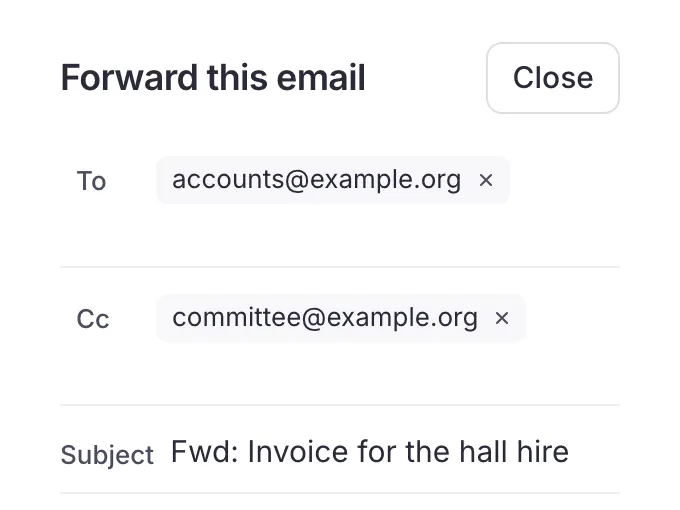
- Reply, reply all, forwardAs in your usual mailbox, from the shared address
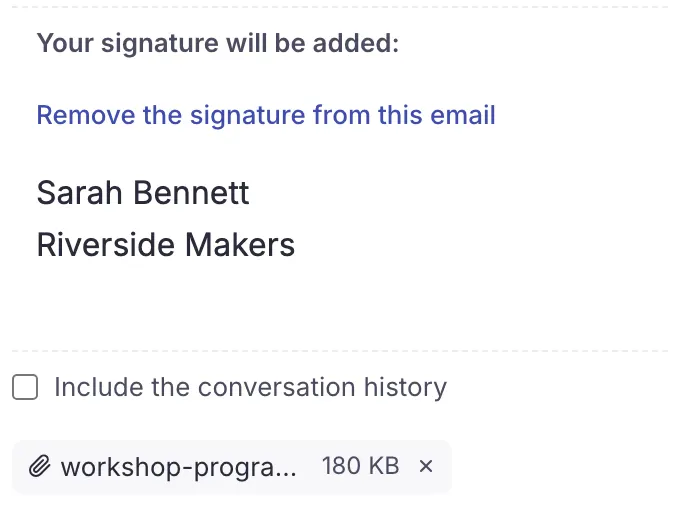
- To, Cc, Bcc and signatureThe right recipients, and the right signature at the bottom
- Signature imported from GmailReuse the one already set in Gmail
- Send without a signatureWhen an email doesn't need one
- Several signaturesOne signature per use, picked for each email
- Sent from the shared addressYour contacts get the reply from the address they know
- Gmail send-as addressesAlso send from your other addresses set up in Gmail
- FormattingBold, lists, colors and links
- TemplatesThe replies you write again and again, ready in one click
- Drafts on every deviceStart on your computer, finish on your phone
- Images in the textPaste an image, it travels in the email where you put it
- Email links on websitesAn email link on a website opens Trupeo
One address book for the whole team. And groups to write to.
It fills itself from your emails and keeps what the team knows about each contact. Write to your members, the parents or the volunteers in one go, without anyone seeing the others' addresses.
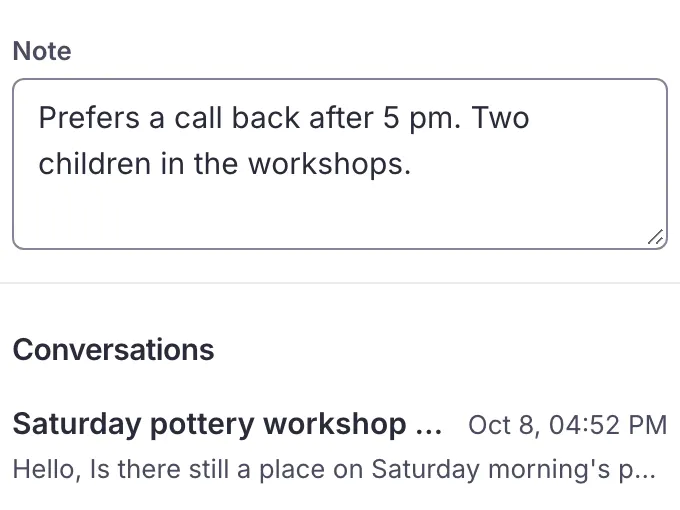
- Shared address bookIt fills itself from your emails
- Details and fieldsPhones, addresses, birthday, and fields of your own
- Groups in BccWrite to a whole group, everyone in Bcc
- Up to date with Google and OutlookThe same contacts as in Google Contacts or Outlook
- Duplicates to mergeSpot duplicates and merge them after a preview
- Removed contacts, 30 daysA removed contact can be restored for 30 days
- Import and exportImport a CSV or vCard file, and export them too
Ask Claude or ChatGPT. It acts with your rights.
Connect your assistant to Trupeo and ask in your own words: what is still waiting, a summary of a long conversation, a reply to prepare. It acts in your name, never with more rights, and the team sees what it did.
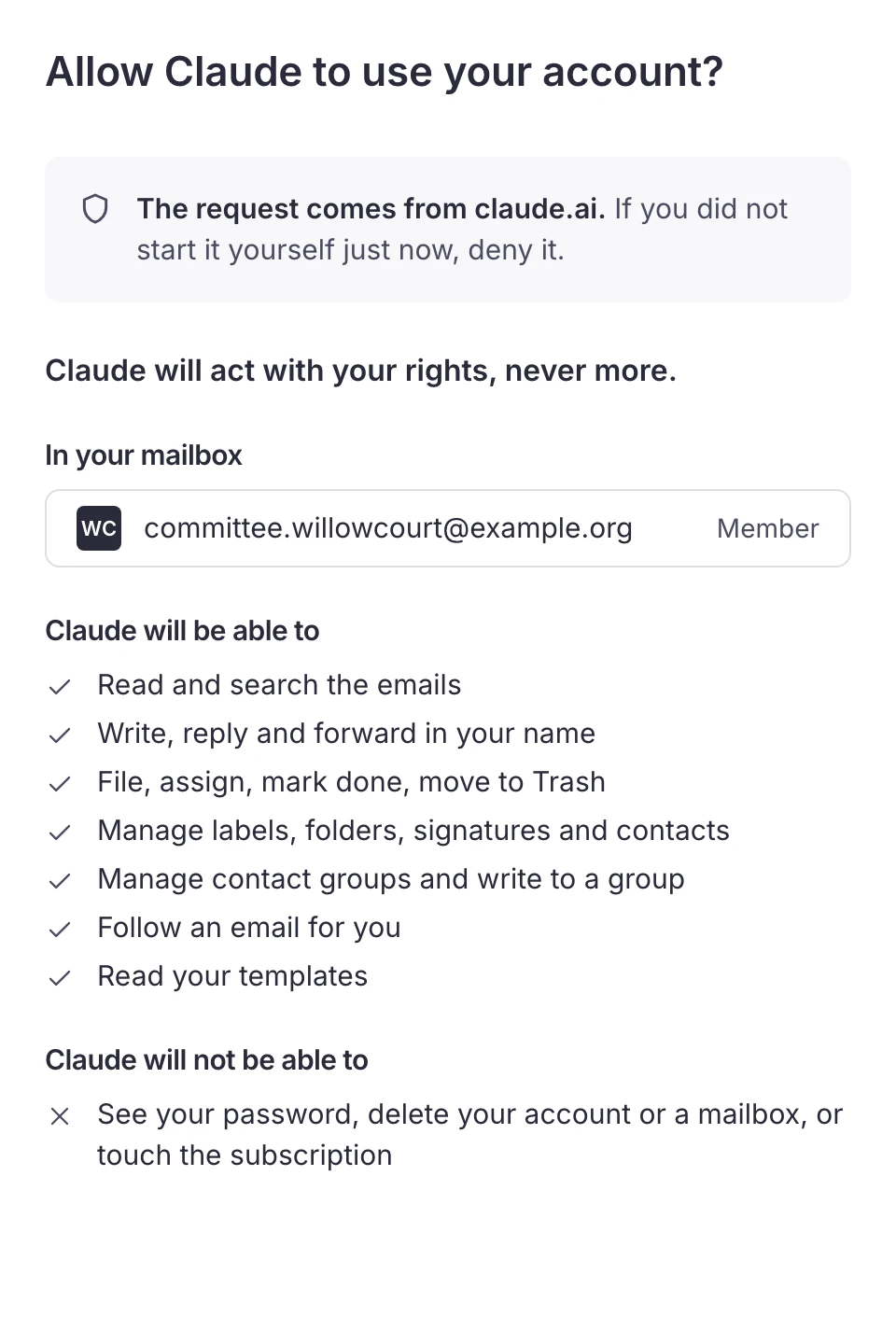
- Claude and ChatGPTConnect your assistant, whatever your email provider
- Read, sort, replyIt searches, reads, sorts and drafts replies
- Your rights, never moreIt sees only what you see
- Asks before sendingIt asks you before sending or deleting
- Leaves emails unreadWhat it reads stays unread for you
- Shown in the history“Marie, via Claude”: the team sees what it did
- Account and billing out of reachYour password, deletions and billing stay yours
- Access removed in one clickOne click, and its next request is refused
Your labels and folders, as they are. Shared by the whole team.
Trupeo keeps the labels and folders you already use at Gmail, Outlook or your IMAP server. File an email once, and the whole team finds it there.
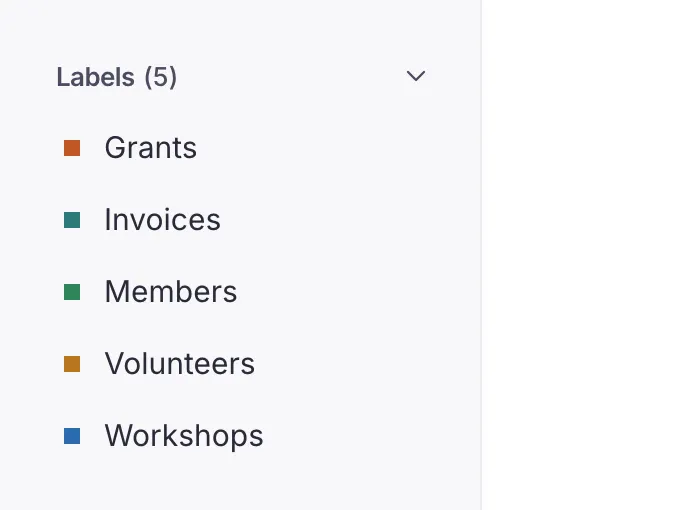
- Gmail labels, Outlook categoriesYour labels and categories stay put, and change from here
- Labels on IMAPLabels even on an IMAP mailbox
- Outlook and IMAP foldersFile emails in your folders, one at a time or in bulk
- Trash and spamTrash, restore and a Spam view
- Report spamReported here, moved at your email provider too
- Quick searchA few words are enough to find an email
- Sender, recipient, subjectFind an email by who sent or received it
- Words and attachmentsWith or without some words, or an attachment's name
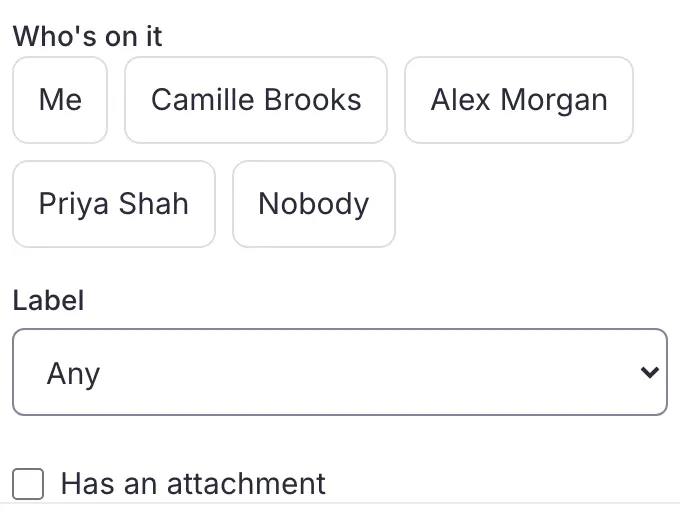
- Date, state, who is on itNarrow the list in a few clicks
- By labelEvery email that carries a label
Real Trupeo screens. The people, the emails and the association are invented.
And also
Everything else is included too.
Every plan includes all of it, whatever the size of your team. See pricing
Your mailboxes
- Gmail, Outlook, IMAPConnect the address you already have, nothing to migrate
- Several mailboxesSwitch between shared mailboxes in one place
- One login per personEveryone signs in as themselves, no shared password
- Microsoft 365 shared mailboxConnected as itself, with its own address
- Choose how much historyNew emails only, the last 7 or 30 days, or everything
Your team
- InvitationsInvite, resend or cancel an invitation
- Owners and membersChoose who sets up the mailbox
- When a member leavesTheir emails go back to To assign, nothing is lost
- Data exportTake your data with you whenever you like
- Deletion certificateA dated document when a mailbox is deleted
- 5 languagesEnglish, French, Spanish, Italian or German
Staying informed
- Notifications you chooseEveryone chooses what they hear about
- Reminder email and morning summaryAn email only if you missed it, and a summary in the morning
- Notifications on your phoneTrupeo on your Home Screen, notifications on your phone
- Everything from your phoneRead, take, reply and mark done
Questions
The questions we get asked.
What teams ask before they connect their mailbox.
Do we need to change our address or email provider?
No. You connect the address you already use, on Gmail, Outlook, Microsoft 365 or any IMAP mailbox. Your labels, categories and folders stay where they are, and your contacts keep writing to the same address.
Are all these features included?
Yes. Every plan includes everything on this page. The price depends only on how many people have access to the mailbox.
Is there anything to install?
No. Trupeo opens in the browser, on a computer as on a phone. Add it to your phone's Home Screen to get notifications.
How long does it take to get started?
A few minutes: connect the mailbox, invite your team, and emails arrive in To assign. You try it free for 30 days.
Ready to make your shared inbox simple?
Connect your current address and bring your team together. Nothing to install: Trupeo opens in the browser.
- No credit card
- No commitment
- You keep your address