
Reply
Reply from the shared address. In your team's voice.
Your contacts write to one address and get their answer from it. Write with templates and signatures, pick up a draft on your phone, and the rest of the team sees what was sent.
- No credit card
- Keep your address and your emails
- From €10 a month per mailbox, excl. VAT
How it works
Everything a reply needs, set up once.
The address your contacts know
Replies and new emails leave from the shared address. On Gmail, also from the addresses already set up in Gmail to send mail as.
Templates and signatures
Insert a template shared with the whole mailbox or kept for yourself, fill in its fields, and choose a signature for each email.
A draft that follows you
It is saved as you write: start on the computer, finish on the phone. It stays yours alone until you send it.
Up close
What it looks like in Trupeo.
Real Trupeo screens. The people, the emails and the association are invented.
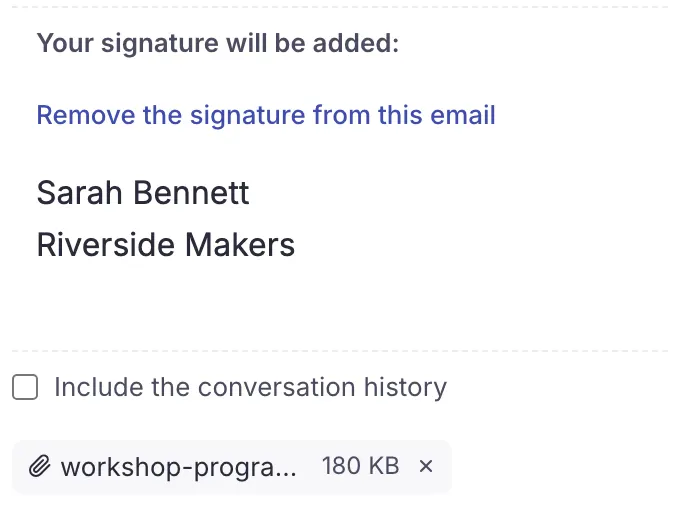
A full reply, from the shared address
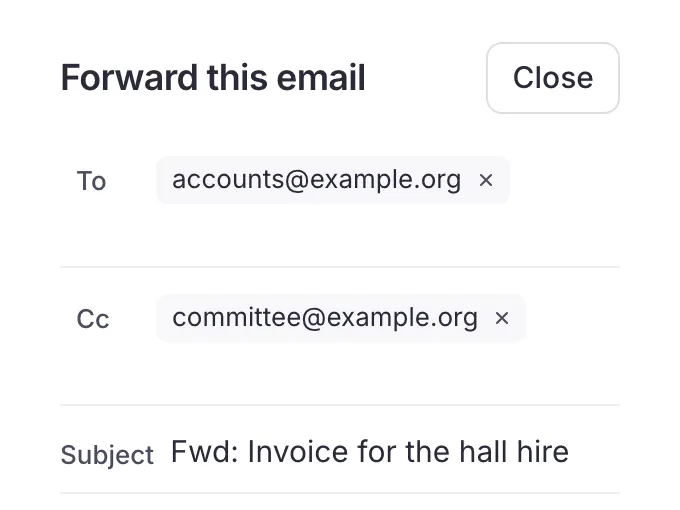
Forward without losing the conversation
In detail
Everything this covers.
Every plan includes all of it, whatever the size of your team. See pricing
- New emails and attachmentsWrite new emails and attach files to a new email, a reply or a forward (25 MB in total with Gmail or a Microsoft 365 account, 20 MB with other mail services, 18 MB from a personal Outlook.com account, 3 MB from a shared Microsoft mailbox, a limit set by Microsoft)
- Reply, reply all, forwardReply, reply to everyone or forward an email
- To, Cc, Bcc and signatureChoose To, Cc and Bcc recipients, and sign with your own signature and the mailbox's
- Signature imported from GmailOn Gmail, the mailbox owner can import the signature already set in Gmail
- Send without a signatureSend an email without a signature when it does not need one
- Several signaturesKeep several signatures, each under its own name, yours and the mailbox's, and choose one for each email
- Sent from the shared addressSend from the shared address your contacts already know
- Gmail send-as addressesOn Gmail, also send from the addresses already set up in Gmail to send mail as; the owner decides who may use each one
- FormattingFormat your text: bold, italic, lists, alignment, font, color, highlight and links
- TemplatesInsert a template in any email: shared with the whole mailbox or kept for yourself, with fields to fill in before sending
- Drafts on every devicePick up a draft on another device: it is saved as you write, and stays yours alone
- Images in the textPaste or drop an image into your text: it travels inside the email, where you put it
- Email links on websitesOpen the email links of any website in Trupeo, in Chrome, Edge and Firefox
Questions
Questions about replying.
What teams ask before they send their first reply.
Do replies leave from my personal address?
No. They leave from the mailbox's shared address, the one your contacts already know. On Gmail, the owner can also let members send from the addresses set up in Gmail to send mail as.
Can we share templates?
Yes. A template is shared with the whole mailbox or kept for yourself, and can hold fields to fill in before sending.
Templates
How large can attachments be?
25 MB in total with Gmail or a Microsoft 365 account, 20 MB with other mail services, 18 MB from a personal Outlook.com account and 3 MB from a shared Microsoft mailbox, a limit set by Microsoft.
Can I send an email without a signature?
Yes. Keep several signatures under their own names, yours and the mailbox's, choose one for each email, or send without any.
Email signatures
Keep going
The other features.
- Share out the emailsWho's on each email, and nothing answered twice
- ContactsA shared address book, and groups to write to
- AI assistantsClaude or ChatGPT, with your rights and nothing more
- Labels and foldersYour labels, folders and search, kept as they are
- All featuresEverything Trupeo does, chapter by chapter
Ready to make your shared inbox simple?
Connect your current address and bring your team together. Nothing to install: Trupeo opens in the browser.
- No credit card
- No commitment
- You keep your address